Mathematics Clock
How I Made It
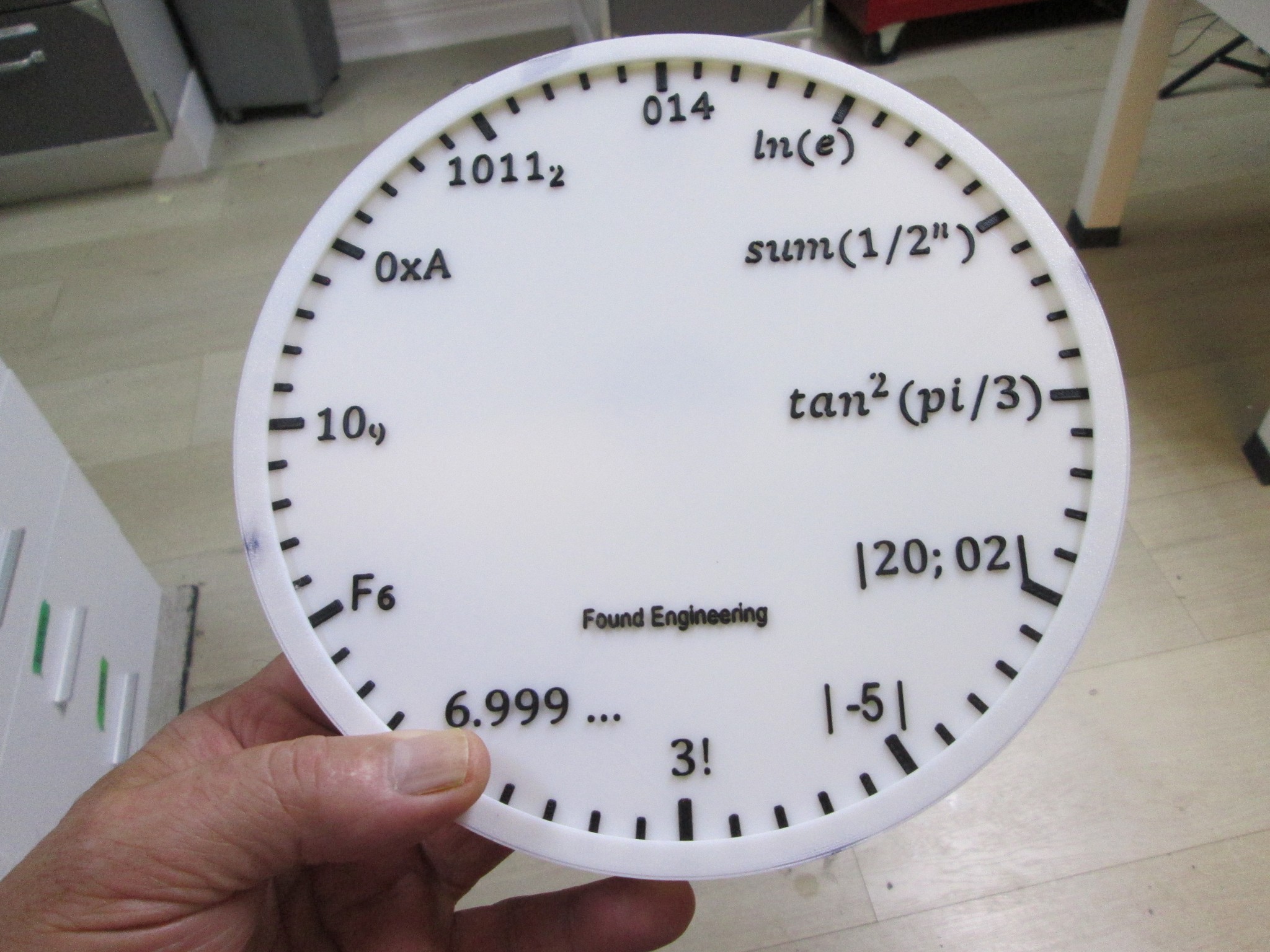
I saw a Math Clock online and decided I wanted to make one. The 3D community options were sparse, so I made mine from scratch. I didn't like some of the expression options that some offered and I wanted more engineering than scientific. They had to be expressions I could explain!
1) I needed the proper expressions so for this I used Microsoft Word Equation editor, creating the 12 expressions I wanted, using the "text" versions as input.
2) The list was exported as a PDF file because this type is scalable vector graphics as opposed to bitmap type. This is important because the SVG files are needed for 3D printing (and too for laser printing).
3) I converted the PDF file to an SVG (Scalable Vector Graphics) but could not import it directly because I had no way of separating the individual elements. In retrospect, I should have saved EACH expression separately in MS Word.
4) I had imported the SVG composite (i.e. all expressions on one sheet) into Lightburn, a program for controlling a cutting/engraving laser, and using a function called "object to path" was able to separate the items. While in Lighburn I made a circle for the background and all the little tics around the perimeter. This didn't work well with the acrylic I was using, so I abandoned the idea of laser cutting, but kept the SVG file.
5) I imported that SVG into Tinkercad but once again had issues because Tinkercad took the background separate from the expressions, which were, again, all crammed together. So back to Lightburn where I removed the circle background, exported the file, then imported into Tinkercad once again.
6) I added the base, centered it with the expresssions and tics then resized both. I had tried to do this in an Orca slicer (Bambu) but it was so clumsy and overly complex I did it in Tinkercad in about 2 minutes! I exported the file as a STL (StereoLithography), then imported into my Snapmaker 3d printer as it would be easier to print in two colors.
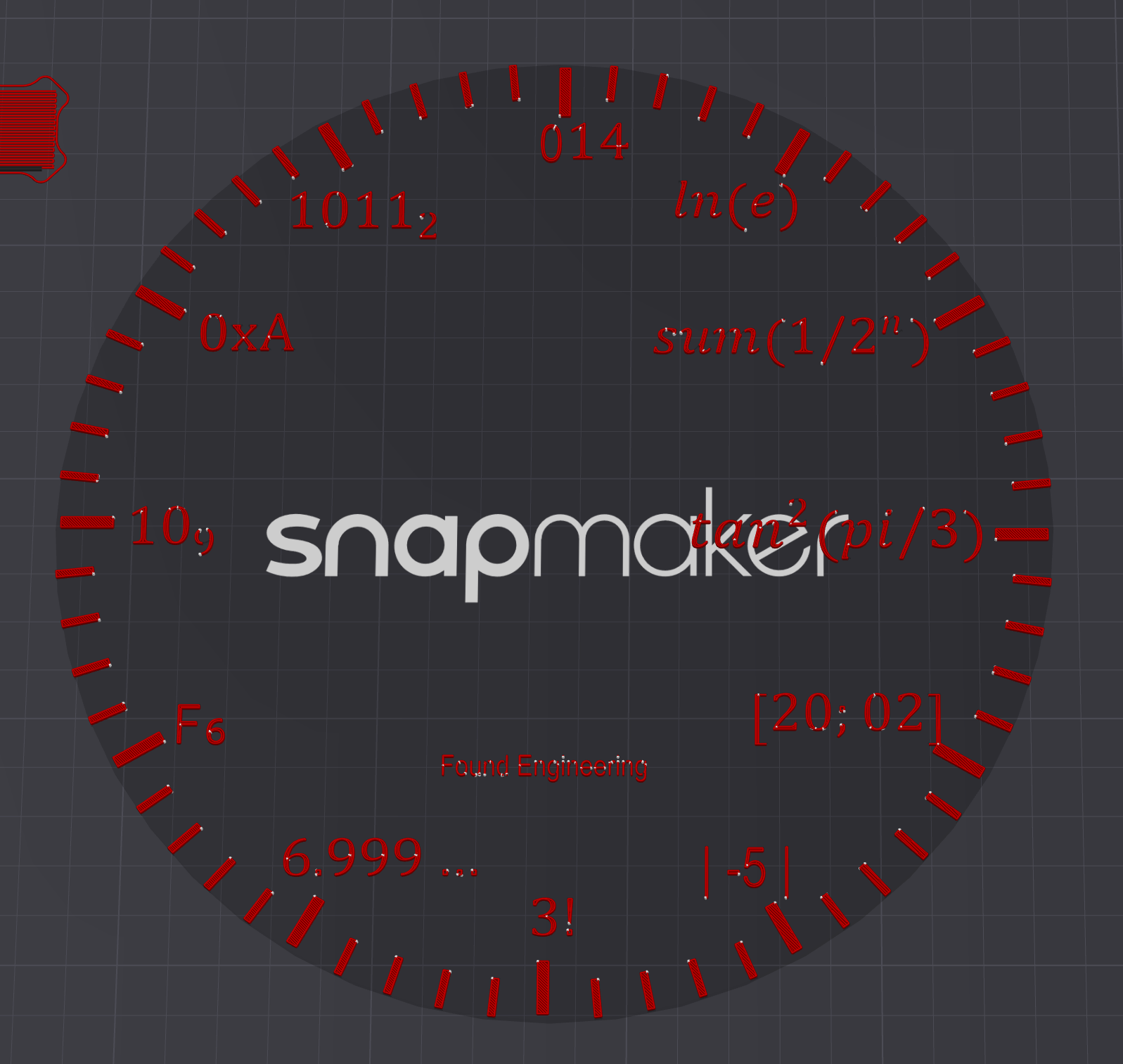
7) I made the base one color, then the raised letters another color, noting the layer where the letters started. My first version was red letters on grey as shown in photo. Didn't like it so changed to black letters on white, traditional colors for standard kitchen clock.
Thursday, August 13, 2026
I saw a Math Clock online and decided I wanted to make one. The 3D community options were sparse, so I made mine from scratch. I didn't like some of the expression options that some offered and I wanted more engineering than scientific. They had to be expressions I could explain!
1) I needed the proper expressions so for this I used Microsoft Word Equation editor, creating the 12 expressions I wanted, using the "text" versions as input.
2) The list was exported as a PDF file because this type is scalable vector graphics as opposed to bitmap type. This is important because the SVG files are needed for 3D printing (and too for laser printing).
3) I converted the PDF file to an SVG (Scalable Vector Graphics) but could not import it directly because I had no way of separating the individual elements. In retrospect, I should have saved EACH expression separately in MS Word.
4) I had imported the SVG composite (i.e. all expressions on one sheet) into Lightburn, a program for controlling a cutting/engraving laser, and using a function called "object to path" was able to separate the items. While in Lighburn I made a circle for the background and all the little tics around the perimeter. This didn't work well with the acrylic I was using, so I abandoned the idea of laser cutting, but kept the SVG file.
5) I imported that SVG into Tinkercad but once again had issues because Tinkercad took the background separate from the expressions, which were, again, all crammed together. So back to Lightburn where I removed the circle background, exported the file, then imported into Tinkercad once again.
6) I added the base, centered it with the expresssions and tics then resized both. I had tried to do this in an Orca slicer (Bambu) but it was so clumsy and overly complex I did it in Tinkercad in about 2 minutes! I exported the file as a STL (StereoLithography), then imported into my Snapmaker 3d printer as it would be easier to print in two colors.
7) I made the base one color, then the raised letters another color, noting the layer where the letters started. My first version was red letters on grey as shown in photo. Didn't like it so changed to black letters on white, traditional colors for standard kitchen clock.
Send Comments
1- The natural log of (e) =1
2- Geometric series 1+1/2+1/4+1/8. "Zeno's Paradox "
3- tan(π/3) = √3 → squared = 3
4- matrix math, determinant is 2x2=4
5- Absolute value of -5 is 5
6- 3 factorial: 3x2x1=6
7- 6 with recurring decimal proven to be equal to 7
8- 10 to base 9 is 9 where 1x9^1 + 0x9^0= 9
9- The sixth Fibonacci number is 8
10- Hexadecimal for 10
11- Binary for 11 8+0+2+1=11
12- O14 is octal for 12 where 1x8^1 +4x8^0= 14
Copyright 2026 Queenidog - All Rights Reserved